Data Flow Model
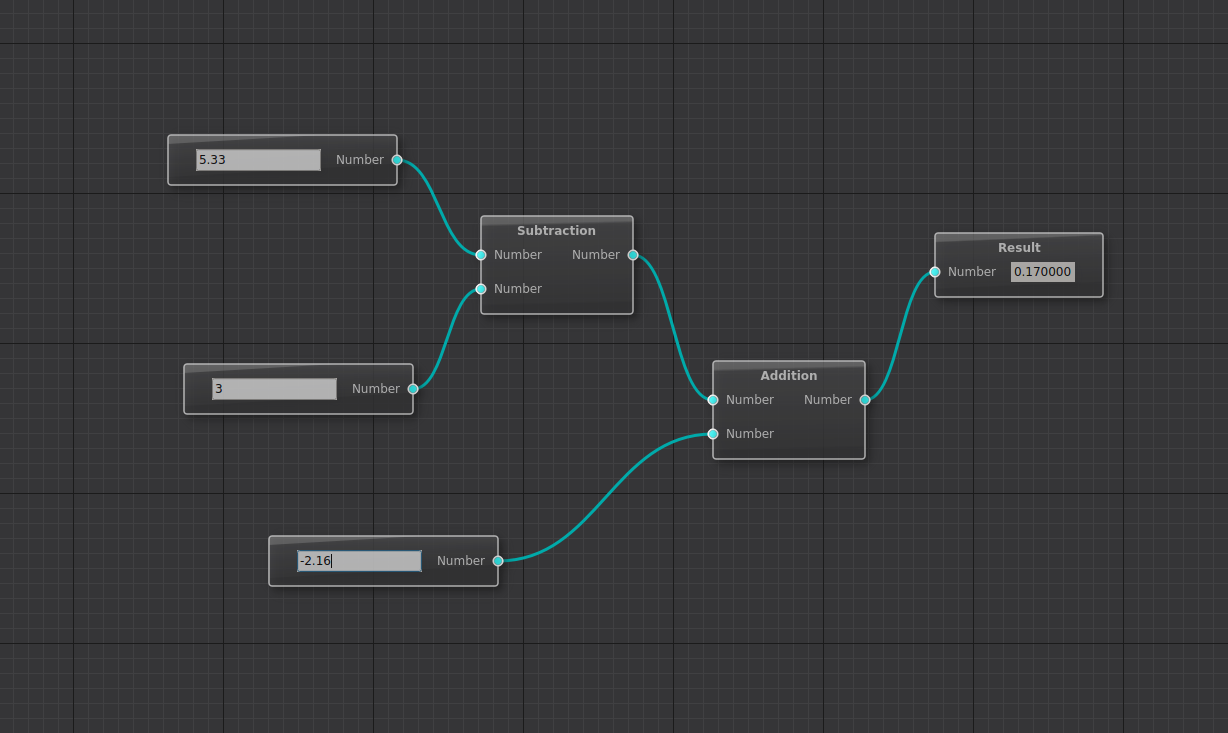
The data flow model automates data propagation between nodes. When a node’s output changes, connected nodes automatically receive the new data. This is ideal for visual programming, calculators, image processing pipelines, and similar applications.
Overview
The data flow system has three main components:
DataFlowGraphModel – Manages nodes and routes data
NodeDelegateModel – Your node logic (one class per node type)
NodeDelegateModelRegistry – Factory for creating node instances
Setting Up
1. Define your data type:
#include <QtNodes/NodeData>

class NumberData : public QtNodes::NodeData
{
public:
    NumberData(double value = 0.0) : _value(value) {}

    // Unique type identifier
    QtNodes::NodeDataType type() const override {
        return {"number", "Number"};
    }

    double value() const { return _value; }

private:
    double _value;
};
2. Create a node delegate:
#include <QtNodes/NodeDelegateModel>

class AdditionNode : public QtNodes::NodeDelegateModel
{
    Q_OBJECT
public:
    // Identity
    QString caption() const override { return "Add"; }
    QString name() const override { return "Addition"; }

    // Ports
    unsigned int nPorts(PortType type) const override {
        return type == PortType::In ? 2 : 1;
    }

    NodeDataType dataType(PortType, PortIndex) const override {
        return NumberData{}.type();
    }

    // Data handling
    void setInData(std::shared_ptr<NodeData> data, PortIndex port) override;
    std::shared_ptr<NodeData> outData(PortIndex) override;

    // Widget (optional)
    QWidget* embeddedWidget() override { return nullptr; }

private:
    std::shared_ptr<NumberData> _input1, _input2, _result;
};
3. Register nodes and create the model:
auto registry = std::make_shared<NodeDelegateModelRegistry>();

// Register with category for menu organization
registry->registerModel<NumberSourceNode>("Sources");
registry->registerModel<AdditionNode>("Operators");
registry->registerModel<DisplayNode>("Outputs");

DataFlowGraphModel model(registry);
DataFlowGraphicsScene scene(model);
NodeDelegateModel Methods
Required methods:
Method |
Purpose |
|---|---|
|
Unique identifier for serialization |
|
Display name on node |
|
Number of input/output ports |
|
Type of data at each port |
|
Receive data on input port |
|
Provide data from output port |
|
Return widget or nullptr |
Optional methods:
Method |
Purpose |
|---|---|
|
Hide caption (default: true) |
|
Custom port labels |
|
Show/hide port labels |
|
Allow node resizing (default: false) |
|
Custom serialization |
Implementing Data Flow
Receiving data (setInData):
void AdditionNode::setInData(std::shared_ptr<NodeData> data, PortIndex port)
{
    auto numberData = std::dynamic_pointer_cast<NumberData>(data);

    if (port == 0)
        _input1 = numberData;
    else
        _input2 = numberData;

    // Compute result
    if (_input1 && _input2) {
        double sum = _input1->value() + _input2->value();
        _result = std::make_shared<NumberData>(sum);
    } else {
        _result.reset();  // Invalid if inputs missing
    }

    // Notify downstream nodes
    emit dataUpdated(0);
}
Providing data (outData):
std::shared_ptr<NodeData> AdditionNode::outData(PortIndex)
{
    return _result;
}
Signals to emit:
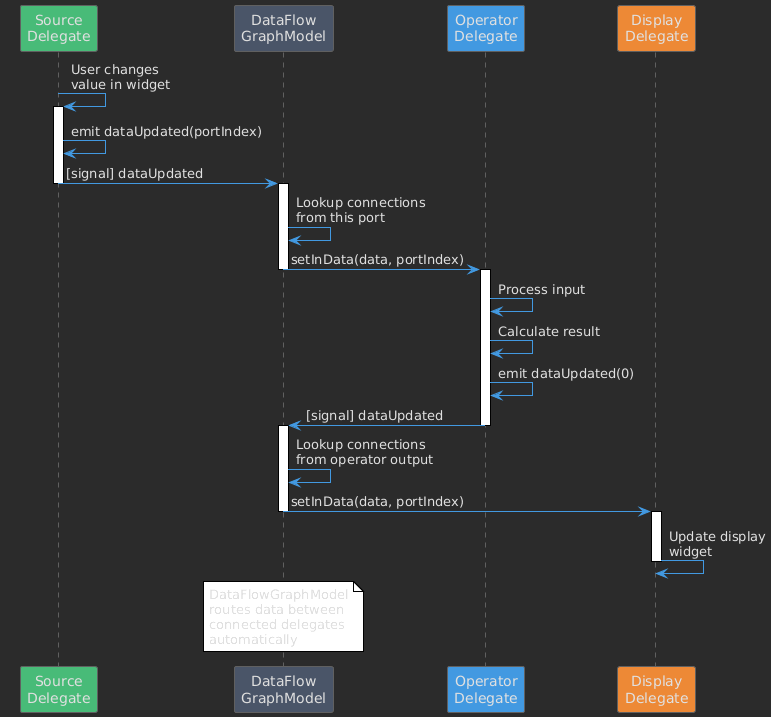
dataUpdated(portIndex)– Output data changed, propagate downstreamdataInvalidated(portIndex)– Output is no longer valid
Data Flow Diagram
Embedded Widgets
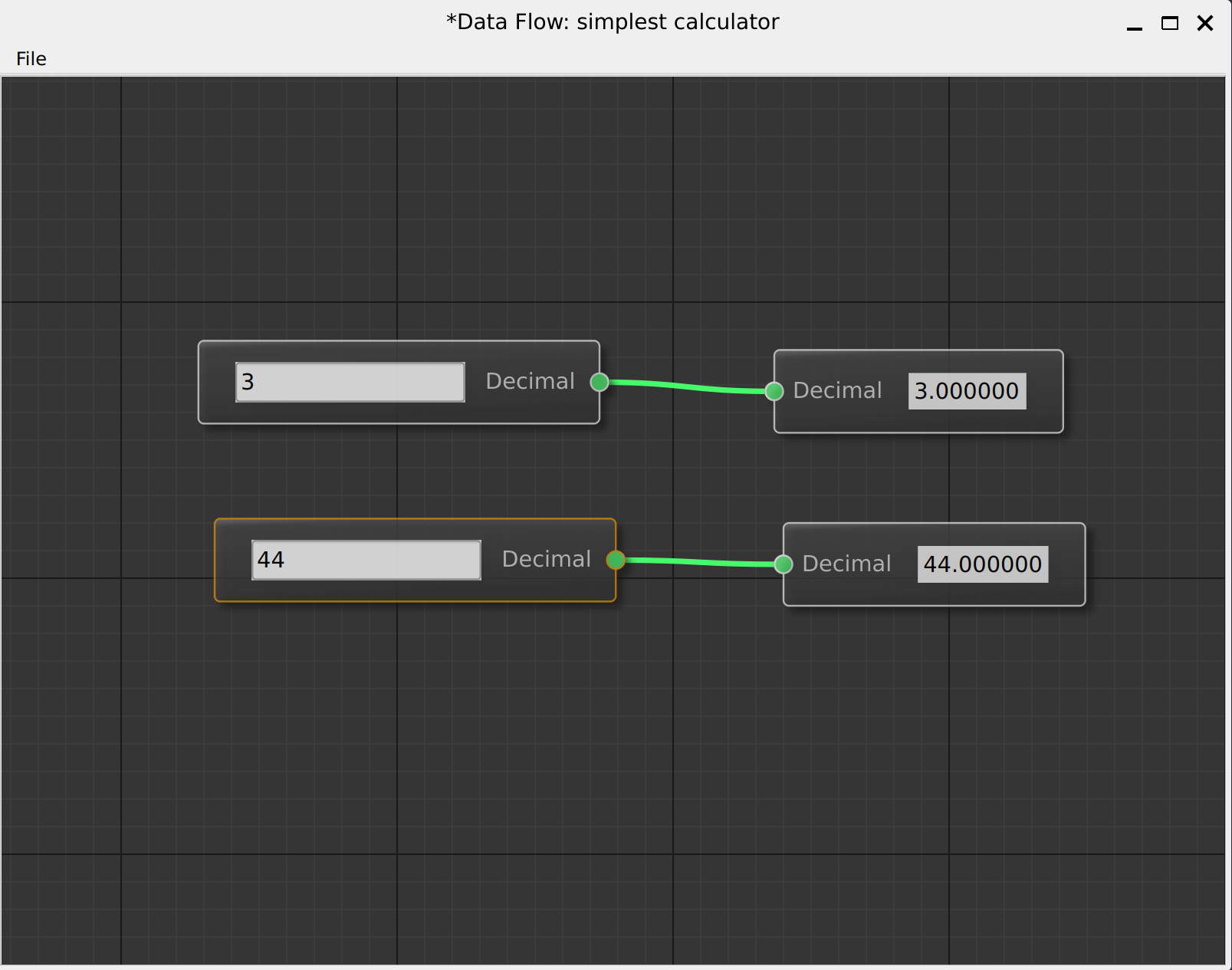
Add interactive controls to your nodes:
class NumberSourceNode : public NodeDelegateModel
{
public:
    QWidget* embeddedWidget() override
    {
        if (!_spinBox) {
            _spinBox = new QDoubleSpinBox();
            connect(_spinBox, &QDoubleSpinBox::valueChanged,
                    this, &NumberSourceNode::onValueChanged);
        }
        return _spinBox;
    }

private slots:
    void onValueChanged(double value)
    {
        _data = std::make_shared<NumberData>(value);
        emit dataUpdated(0);  // Push new value downstream
    }

private:
    QDoubleSpinBox* _spinBox = nullptr;
    std::shared_ptr<NumberData> _data;
};
Validation State
Use NodeValidationState to indicate whether a node’s configuration is valid.
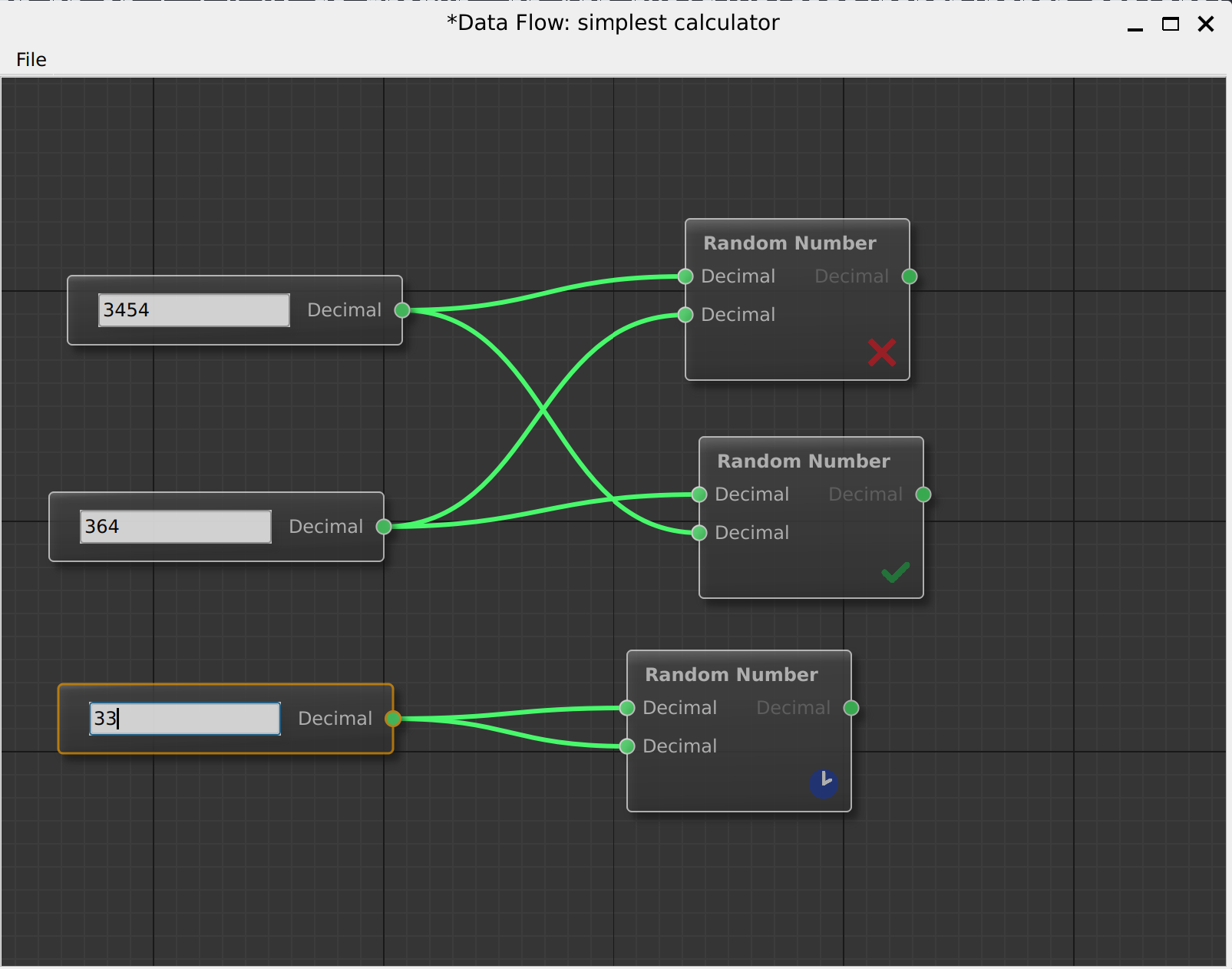
When the state is Warning or Error, a colored icon appears at the node’s corner:
Valid (no icon) – Node is properly configured
Warning (orange icon) – Some issues, but processing may work
Error (red icon) – Invalid configuration, cannot process
The _stateMessage is displayed as a tooltip when hovering over the node.
void MyNode::setInData(std::shared_ptr<NodeData> data, PortIndex)
{
    if (!data) {
        // Show warning with tooltip message
        NodeValidationState state;
        state._state = NodeValidationState::State::Warning;
        state._stateMessage = "Missing input data";  // Shown on hover
        setValidationState(state);
        return;
    }

    if (!isValidInput(data)) {
        // Show error with tooltip message
        NodeValidationState state;
        state._state = NodeValidationState::State::Error;
        state._stateMessage = "Invalid input format";  // Shown on hover
        setValidationState(state);
        return;
    }

    // Input is valid - clear any previous state
    NodeValidationState state;
    state._state = NodeValidationState::State::Valid;
    setValidationState(state);

    // Process data...
}
Processing Status
Use NodeProcessingStatus to show computation state. A small status icon
appears at the node’s corner indicating the current state:
Status |
Meaning |
|---|---|
|
Default, no icon shown |
|
Computation in progress (spinner icon) |
|
Successfully completed |
|
Waiting for inputs |
|
No data available |
|
Computation failed |
|
Partially completed (some outputs ready) |
void MyNode::compute()
{
    setNodeProcessingStatus(NodeProcessingStatus::Processing);

    // Start async computation...
    QFuture<Result> future = QtConcurrent::run([this]() {
        return heavyComputation();
    });

    // When done:
    watcher.setFuture(future);
    connect(&watcher, &QFutureWatcher::finished, [this]() {
        setNodeProcessingStatus(NodeProcessingStatus::Updated);
        emit dataUpdated(0);
    });
}
Type Compatibility
Connections are only allowed between compatible types. By default, types
must match exactly. Override connectionPossible() for custom logic:
bool MyModel::connectionPossible(ConnectionId conn) const
{
    auto outType = portData(conn.outNodeId, PortType::Out,
                            conn.outPortIndex, PortRole::DataType);
    auto inType = portData(conn.inNodeId, PortType::In,
                           conn.inPortIndex, PortRole::DataType);

    // Allow Integer -> Number conversion
    if (outType == "integer" && inType == "number")
        return true;

    return outType == inType;
}
Complete Example
See examples/calculator/ for a complete data flow application with:
Multiple node types (sources, operators, display)
Embedded widgets
File save/load
Custom connection colors
See also
Graph Models – For custom graph implementations
Examples – More examples