Quick Start
This tutorial creates a simple node graph editor in under 50 lines of code. By the end, you’ll have an interactive canvas where you can create nodes, connect them, and move them around.
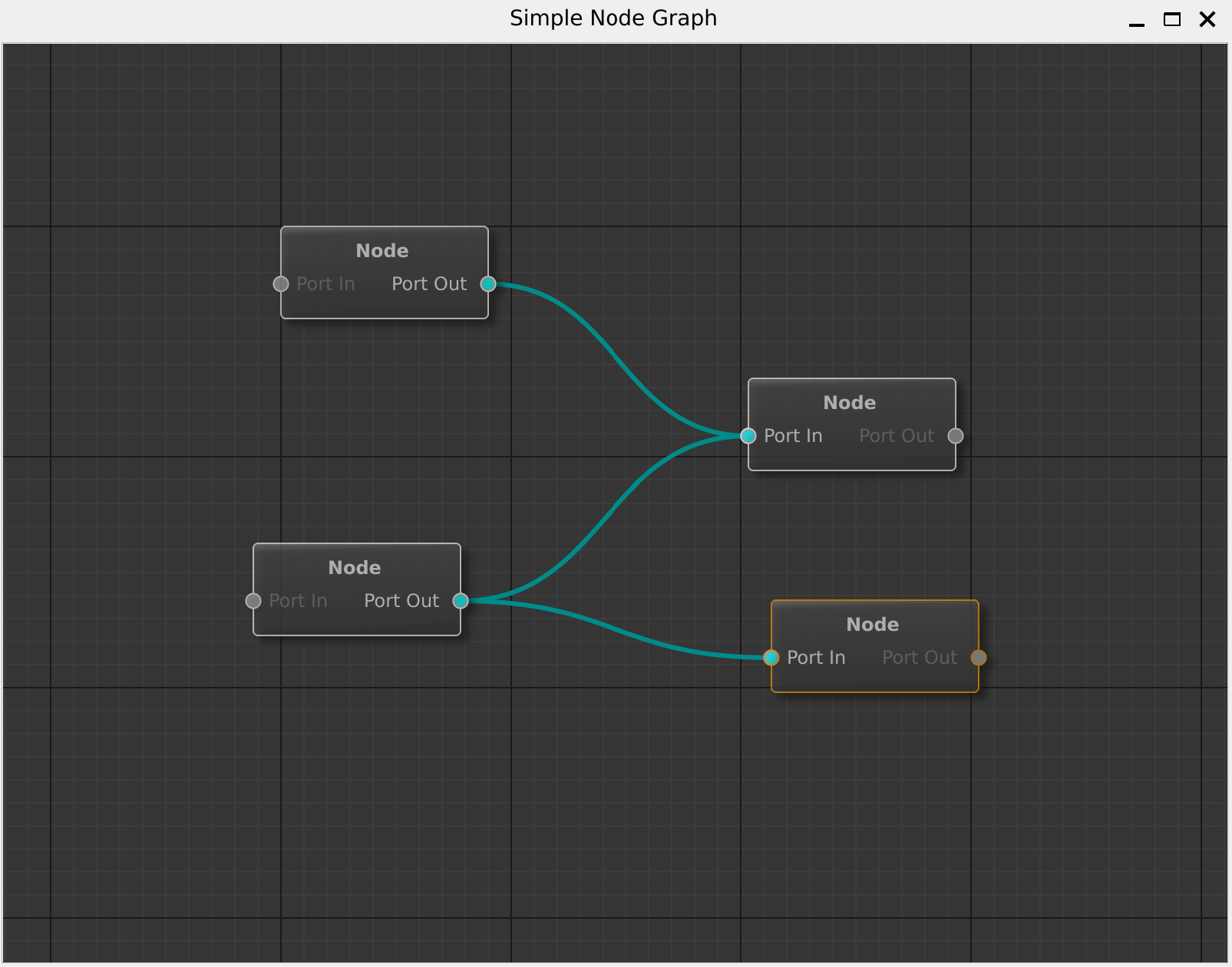
What We’re Building
A minimal graph editor that:
Displays nodes on a canvas
Lets you create new nodes via right-click menu
Allows connecting nodes by dragging between ports
Supports selecting, moving, and deleting nodes
Step 1: Create the Graph Model
First, we need a class to store our graph data. Create SimpleGraphModel.hpp:
#pragma once
#include <QtNodes/AbstractGraphModel>
#include <unordered_set>
#include <unordered_map>

class SimpleGraphModel : public QtNodes::AbstractGraphModel
{
    Q_OBJECT
public:
    // Required: Generate unique node IDs
    QtNodes::NodeId newNodeId() override { return _nextId++; }

    // Required: Return all node IDs
    std::unordered_set<QtNodes::NodeId> allNodeIds() const override;

    // Required: Return all connections for a node
    std::unordered_set<QtNodes::ConnectionId> allConnectionIds(QtNodes::NodeId) const override;

    // ... (see full implementation in examples/simple_graph_model)

private:
    QtNodes::NodeId _nextId = 0;
    std::unordered_set<QtNodes::NodeId> _nodes;
    std::unordered_set<QtNodes::ConnectionId> _connections;
};
The model inherits from AbstractGraphModel and stores:
A set of node IDs
A set of connections (each connecting two ports)
Node positions and other metadata
Tip
For the complete implementation, see examples/simple_graph_model/SimpleGraphModel.cpp.
It’s about 150 lines implementing all the required virtual methods.
Step 2: Create the Main Window
In main.cpp:
#include <QApplication>
#include <QtNodes/GraphicsView>
#include <QtNodes/BasicGraphicsScene>
#include "SimpleGraphModel.hpp"

int main(int argc, char* argv[])
{
    QApplication app(argc, argv);

    // 1. Create the graph model
    SimpleGraphModel model;

    // 2. Create a scene that visualizes the model
    auto* scene = new QtNodes::BasicGraphicsScene(model);

    // 3. Create a view to display the scene
    QtNodes::GraphicsView view(scene);
    view.setWindowTitle("My First Node Graph");
    view.resize(800, 600);
    view.show();

    return app.exec();
}
Step 3: Add Node Creation
Let users create nodes via right-click:
// After creating the view...
view.setContextMenuPolicy(Qt::ActionsContextMenu);

QAction* createAction = new QAction("Create Node", &view);
QObject::connect(createAction, &QAction::triggered, [&]() {
    // Get mouse position in scene coordinates
    QPointF pos = view.mapToScene(view.mapFromGlobal(QCursor::pos()));

    // Add node to model
    auto nodeId = model.addNode();
    model.setNodeData(nodeId, QtNodes::NodeRole::Position, pos);
});

view.addAction(createAction);
Step 4: Build and Run
# CMakeLists.txt
find_package(QtNodes REQUIRED)

add_executable(my_first_graph main.cpp SimpleGraphModel.cpp)
target_link_libraries(my_first_graph QtNodes::QtNodes)
Run it:
mkdir build && cd build
cmake .. && make
./my_first_graph
Interacting with Your Graph
|
|
|
Create: Right-click canvas |
Connect: Drag from port to port |
Select: Click node or drag box |


Keyboard shortcuts:
Delete– Remove selected nodes/connectionsCtrl+Z– UndoCtrl+Shift+Z– RedoCtrl+D– Duplicate selection
What’s Next?
You’ve built a basic graph editor! Here’s where to go next:
Core Concepts – Understand the Model-View architecture
Data Flow Model – Make data flow between nodes
Styling – Customize the look and feel
Examples – Explore complete examples